
Appearance
Operation
Display screens
The Façade 2024 cycles between two main screens.
Keel state (main screen)
| Element | Meaning |
|---|---|
| Large angle (°) | Current keel angle. Positive = starboard, negative = port. |
| ◀ / ▶ arrows | Movement indicator: lit on the side the keel is currently moving to. |
| ▲ centre arrow | Pressure-relief indicator: shown when no movement is active but the keel is still generating lift in the cylinder. |
B value | Pressure in the port chamber (cylinder nose), in bar. |
T value | Pressure in the starboard chamber (cylinder rod), in bar. |
Power state (ALIM screen)
| Element | Meaning |
|---|---|
CAP (V) | Supercapacitor bank voltage |
0 A | Output current of the supercapacitor charger |
BAT (V) | Boat battery voltage |
Movement modes
Three movement modes are available, plus an unconditional stop. All references to "Port" use the original French abbreviation Bab(ord) and "Starboard" uses Tri(bord) in the on-screen labels.
Release
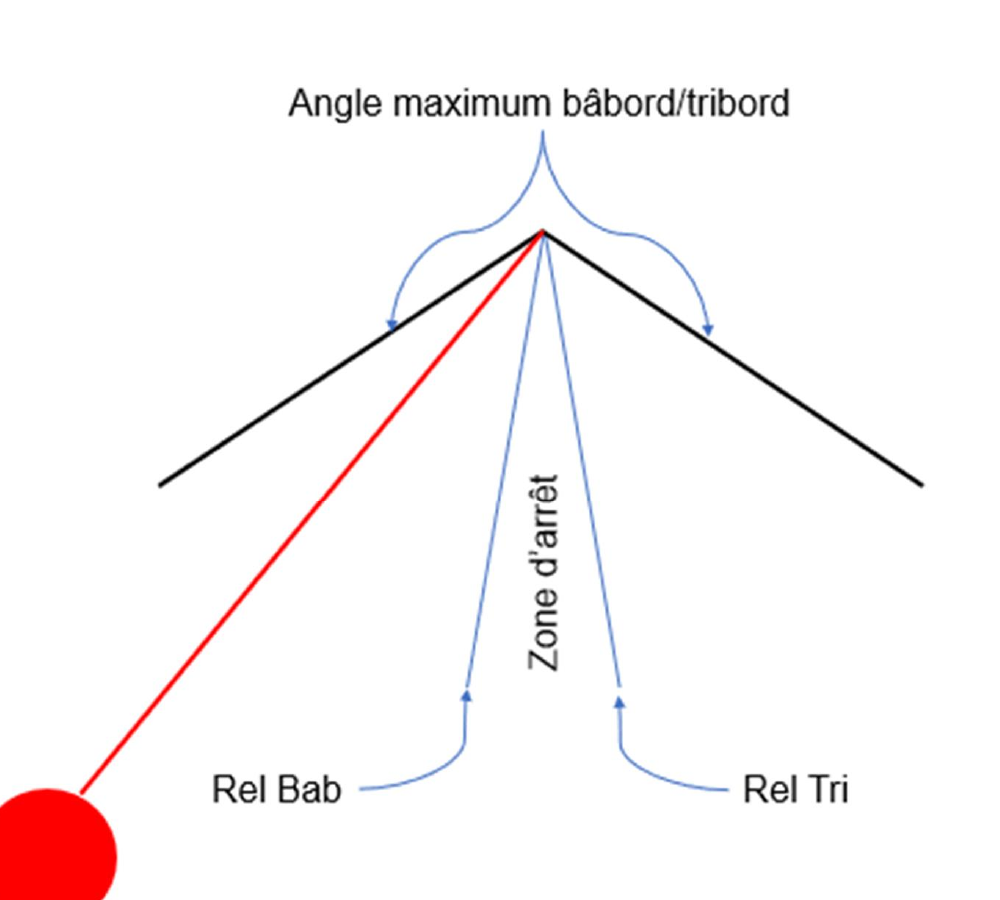
Pressing the blue Release button releases the cylinder pressure and lets the keel return to centre by gravity. The movement stops as soon as the angle is between Rel Bab and Rel Tri (configured in parameters). If the keel is already inside this zone, nothing happens.
Release Assist
After a Release press, the system verifies that the keel is actually moving. If it stays still — or worse, drifts the wrong way — it automatically switches to position mode and starts the hydraulic group to recentre the keel.
Main movements
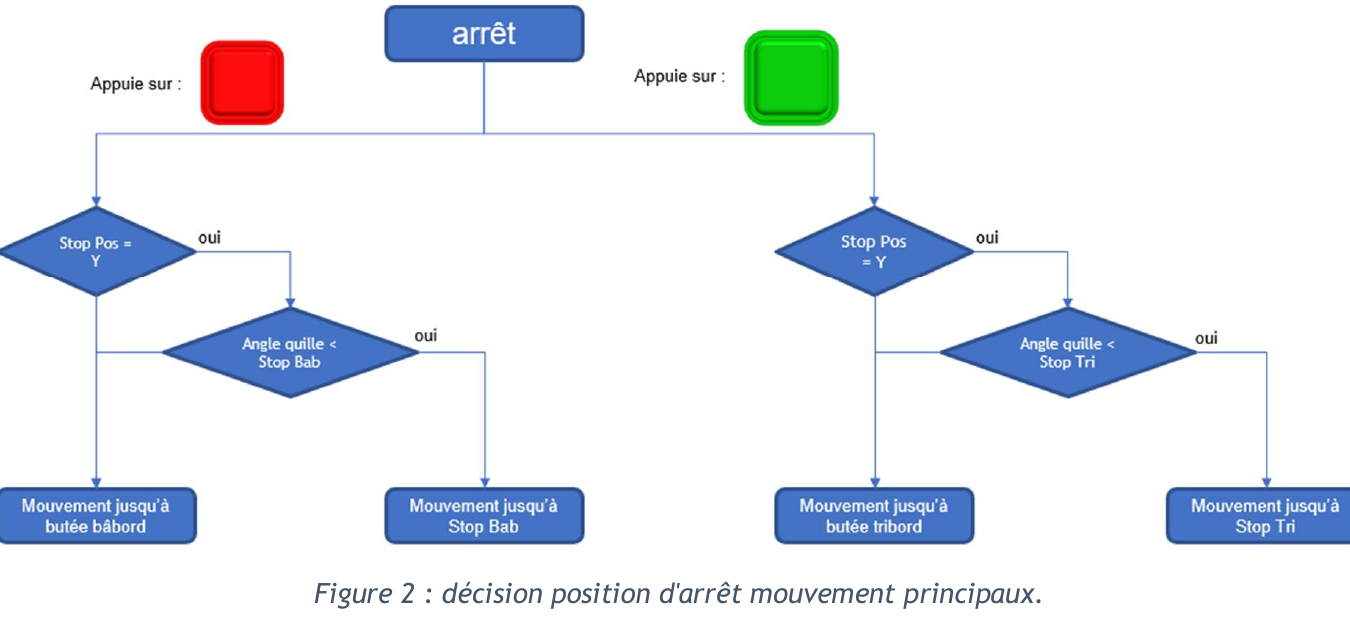
The red button drives the keel to port and the green button drives it to starboard. The target depends on Stop Pos and the current angle:
Stop Pos | Current angle vs Stop Bab / Stop Tri | Target |
|---|---|---|
| disabled | n/a | Mechanical pressure stop |
| enabled | Already past the stop angle | Mechanical pressure stop |
| enabled | Inside the stop angle | Stop Bab or Stop Tri |
Incremental movements
The ◀ and ▶ arrow buttons move the keel by Inc +/- degrees. Successive presses are cumulative relative to the starting position of the movement.
Example: keel at 10°,
Inc +/-= 5°. A first ▶ press starts a movement to 15°. While moving, two more ▶ presses (three total) shift the target to 10 + 5 + 5 + 5 = 35°.
Stop
A single press on STOP halts any movement immediately, whatever its mode.